Articles

Viber Introduces Mandatory Templates for Transactional Messages Starting July 1, 2026
If your business relies on the Infobip platform to send critical transactional Viber messages - such as order confirmations, delivery details, banking alerts, or OTP codes- a major technical update is approaching that requires your immediate attention.
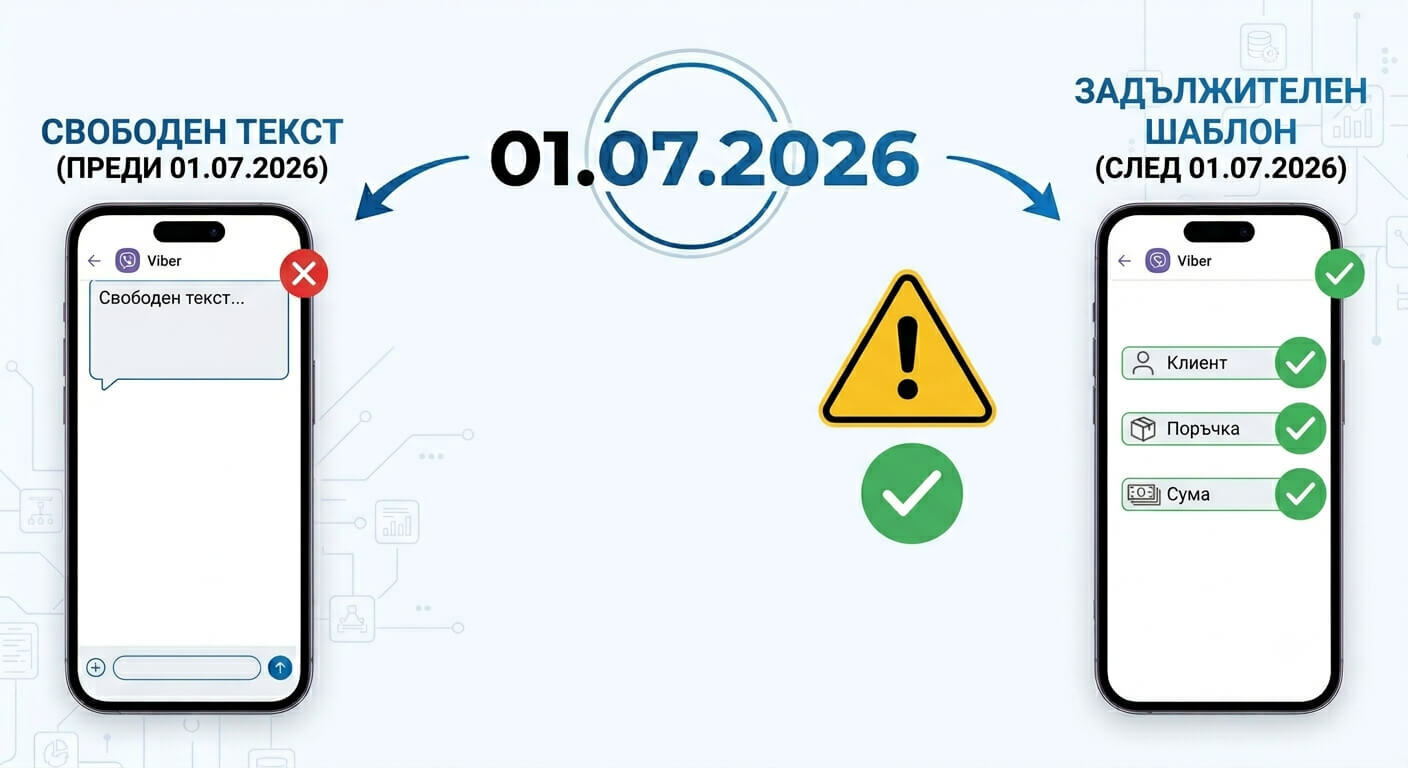
Effective July 1, 2026, Viber is fundamentally changing its policy. From this date onward, all transactional messages can only be sent using pre-created and approved templates within customer accounts on the Infobip platform.
To prevent any disruption in communication with your customers, it is essential to prepare and test your templates well ahead of the deadline.
What is Changing?
Until now, transactional messages could be sent as free-form text in real time, containing any required information. After July 1, 2026, every message must follow a pre-registered and approved structure (template), where the static text remains fixed, and dynamic data (such as customer name, order number, date, or amount) is passed programmatically via parameters.
How to Create and Approve Templates
The process is streamlined and flexible. You can create your templates in two ways:
-
Via the Web Interface of the Infobip platform (under Channels and Numbers > Channels > Viber for Business).
-
Via API (using the Viber Business Messages API endpoints).
Approval Time: The approval process itself is automated. While the official review window is up to 24 hours, it typically takes only a few seconds to a few minutes maximum. As soon as the status changes to APPROVED, the template is ready for use.
Critical Requirements and Constraints
To ensure a smooth migration, please pay close attention to the official technical guidelines:
-
Saving the Template ID: Templates cannot be assigned a custom text name. Upon creation, the system automatically generates a unique ID number. It is critical to save this Template ID in your systems, as it is used as the sole reference to invoke that specific template during message delivery.
-
Maximum Length: Up to 875 characters.
-
Number of Parameters: Up to 5 dynamic variables are allowed per message for personalization.
-
Character Limit per Parameter: The value passed for any single dynamic variable must not exceed 25 characters.
-
Separator Rule: There must be at least 3 characters between two consecutive parameters, and they cannot be spaces or punctuation marks.
-
Message Ending: The very last word in a template cannot be a parameter (variable). There must be at least 3 non-punctuation characters following the last parameter.
Attention: Parameter Period (.) Bug and Its Workaround
During our technical integration testing, the team at Wollow - specializing in complex API integrations - uncovered an undocumented defect (bug). The issue has been officially acknowledged by Infobip support and escalated directly to Viber.
The Problem: Currently, Viber encounters errors when processing a period (.) character if it is included within the value of a template parameter. If you attempt to send a dynamic value containing a dot - for example, a price or amount like {"amount": "200.12"} - the message may fail or render incorrectly. The Viber team is working on a fix, but there is currently no exact ETA.
The Workaround: Until the bug is officially resolved, we advise you to avoid using periods in your parameters when registering and testing templates. Instead, use a comma (,) as the decimal separator (e.g., 200,12). Ensure that your internal systems format the data this way before transmitting it to Infobip.
What You Need to Do Now
-
Audit Current Messages: Review all transactional texts you are currently sending and define them as structured templates.
-
Create and Register Templates Early: Complete this setup via the web portal or API before the 01.07.2026 deadline.
-
Update Your Codebase: Configure your systems to pass the correct Template ID, adhere to parameter restrictions, and apply the temporary decimal comma workaround.
-
Test Thoroughly: Run test delivery batches to ensure everything functions seamlessly before the hard cutoff.
For complete technical documentation and detailed structural rules, visit the official Infobip guide: Infobip Viber Template Overview.
Don't wait until the last minute - safeguard your client communications today!